
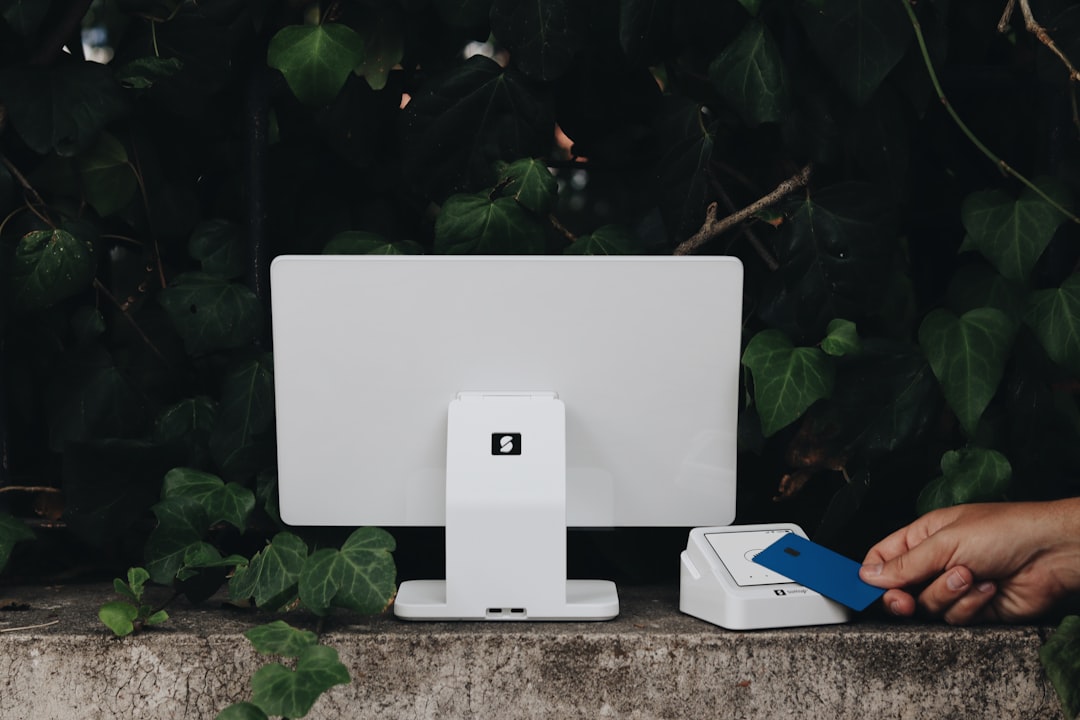
Shopify POS PCI Compliance: A Complete Beginner’s Guide
Whether you’re running a small boutique, a bustling restaurant, or any retail business using Shopify POS, understanding PCI compliance is crucial for protecting your customers and your business. This comprehensive guide will walk you through everything you need to know about Shopify POS PCI compliance, breaking down complex concepts into simple, actionable steps.
What You’ll Learn
By the end of this guide, you’ll understand:
- What PCI compliance means for your Shopify POS business
- Why it’s essential for your security and success
- Exactly what steps to take to become compliant
- How to avoid PCI and M&A: that could cost you thousands
- When to handle compliance yourself versus getting professional help
Why This Matters
PCI compliance isn’t just about following rules—it’s about protecting your business from devastating data breaches that could result in hefty fines, loss of customer trust, and even business closure. With Shopify POS handling credit card transactions daily, compliance becomes a business-critical requirement, not an optional add-on.
Who This Guide Is For
This guide is designed for business owners and managers who:
- Use Shopify POS for in-person transactions
- Are new to PCI compliance requirements
- Want to understand their responsibilities without getting lost in technical jargon
- Need clear, actionable steps to achieve compliance
—
The Basics: Understanding PCI Compliance
What Is PCI Compliance?
PCI compliance refers to meeting the Payment Card Industry Data Security Standard (PCI DSS)—a set of Security requirements designed to protect credit card information. Think of it as a security checklist that ensures any business handling credit card data does so safely and securely.
Key Terms You Need to Know
PCI DSS: The Payment Card Industry Data Security Standard—the rulebook for credit card security.
SAQ (Self-Assessment Questionnaire): A validation tool that helps businesses assess their compliance with PCI DSS requirements. Different types exist based on how your business processes payments.
Merchant Level: A classification system (Levels 1-4) that determines your compliance requirements based on annual transaction volume.
Payment Processor: The company that handles your credit card transactions (in this case, Shopify Payments or your chosen processor).
Point-to-Point Encryption (P2PE): A security method that encrypts cardholder data from the moment it’s entered until it reaches the secure payment processor.
How Shopify POS Fits Into PCI Compliance
Shopify POS is what’s called a “validated payment application,” meaning it’s been certified to meet PCI security standards. However, this doesn’t automatically make your business compliant. You still have responsibilities to maintain a secure environment and follow proper procedures.
When you use Shopify POS with Shopify Payments, the system handles much of the heavy lifting by:
- Encrypting card data during transmission
- Never storing sensitive card information on your devices
- Processing payments through secure, certified systems
—
Why Shopify POS PCI Compliance Matters
Protecting Your Business Reputation
A data breach can destroy years of hard-earned customer trust in minutes. Customers expect their payment information to be secure, and failing to protect it can lead to negative reviews, lost sales, and damaged reputation that takes years to rebuild.
Financial Protection
Non-compliance can result in:
- Fines: Monthly penalties ranging from $5,000 to $100,000
- Increased processing fees: Card brands may impose higher transaction costs
- Liability for breaches: You could be responsible for costs related to fraudulent transactions
- Loss of ability to accept cards: The ultimate business killer for most retailers
Legal and Regulatory Requirements
While PCI compliance isn’t technically a law, it’s a contractual requirement when you agree to accept credit cards. Additionally, various state and federal regulations may apply to how you handle customer data.
Competitive Advantage
Being PCI compliant demonstrates professionalism and security consciousness, giving customers confidence to shop with you instead of less secure competitors.
—
Step-by-Step Guide to Shopify POS PCI Compliance
Step 1: Determine Your Merchant Level (Timeline: 30 minutes)
Your merchant level depends on how many credit card transactions you process annually:
- Level 1: Over 6 million transactions
- Level 2: 1-6 million transactions
- Level 3: 20,000-1 million e-commerce transactions or up to 1 million other transactions
- Level 4: Under 20,000 e-commerce transactions or up to 1 million other transactions
Most small to medium businesses fall into Level 4, which has the simplest compliance requirements.
Step 2: Choose Your Self-Assessment Questionnaire (Timeline: 1 hour)
Based on how you process payments, you’ll need to complete a specific SAQ:
SAQ A: For businesses that outsource all payment processing (most common for standard Shopify POS users)
SAQ A-EP: For e-commerce businesses with additional payment channels
SAQ B: For businesses using dial-up terminals or standalone payment devices
SAQ C: For businesses with payment applications connected to the internet
Most Shopify POS users will use SAQ A, which is the shortest and simplest questionnaire.
Step 3: Secure Your Physical Environment (Timeline: 1-2 days)
Even though Shopify POS handles encryption, you need to secure your physical environment:
- Secure your devices: Keep iPads and card readers in locked areas when not in use
- Control access: Limit who can access your POS system and payment devices
- Monitor your space: Ensure customers and unauthorized personnel can’t see PIN entry or access your devices
- Secure your network: Use WPA2 or WPA3 encryption on your WiFi, change default passwords, and keep your network separate from guest WiFi
Step 4: Implement Proper User Management (Timeline: 2-3 hours)
- Create unique user accounts for each employee who needs POS access
- Use strong passwords (at least 8 characters with numbers and symbols)
- Remove access for former employees immediately
- Regularly review who has access to what features
Step 5: Keep Everything Updated (Ongoing)
- Update your Shopify POS app regularly
- Keep your iPad or device operating system current
- Update your router firmware
- Install security updates promptly
Step 6: Complete Your SAQ (Timeline: 2-4 hours)
Work through your chosen Self-Assessment Questionnaire honestly and thoroughly. Don’t guess—if you’re unsure about something, research it or seek help.
Step 7: Submit Required Documentation (Timeline: 1 hour)
Most Level 4 merchants need to submit:
- Completed SAQ
- Attestation of Compliance (AOC)
- Network security scan (if required)
Submit these to your payment processor or acquiring bank by their deadline (usually annually).
—
Common Questions Beginners Have
“Do I Really Need to Worry About This If I’m Using Shopify?”
Yes, absolutely. While Shopify handles much of the technical security, you’re still responsible for maintaining a secure environment and following proper procedures. Think of it like this: Shopify provides a secure car, but you still need to lock the doors and drive safely.
“What If I Only Process a Few Transactions?”
PCI compliance requirements apply to any business that accepts credit cards, regardless of volume. However, smaller businesses typically have simpler requirements (like SAQ A instead of full audits).
“Is Shopify POS Automatically Compliant?”
Shopify POS is a validated, secure payment application, but your overall business environment must also be compliant. The app is just one piece of the puzzle.
“How Often Do I Need to Validate Compliance?”
Most businesses must validate compliance annually, though some payment processors may require more frequent updates or have different deadlines.
“What If I Accept Other Forms of Payment Too?”
If you use other payment methods beyond Shopify POS, you’ll need to ensure those are also compliant. This might change which SAQ you need to complete.
—
Mistakes to Avoid
Mistake 1: Assuming Shopify Handles Everything
The Problem: Believing that using Shopify POS automatically makes you compliant without any effort on your part.
The Solution: Understand that you still have responsibilities for physical security, network security, and proper procedures.
If You’ve Made This Mistake: Start by completing a proper compliance assessment and addressing any gaps you find.
Mistake 2: Ignoring Physical Security
The Problem: Focusing only on digital security while leaving devices unsecured or allowing unauthorized access to payment areas.
The Solution: Implement proper physical controls around your POS devices and payment processing areas.
If You’ve Made This Mistake: Immediately secure your devices and review who has access to your payment processing areas.
Mistake 3: Using Weak or Shared Passwords
The Problem: Using simple passwords like “password123” or sharing login credentials among multiple employees.
The Solution: Implement strong, unique passwords for each user and use two-factor authentication when available.
If You’ve Made This Mistake: Change all passwords immediately and create individual accounts for each user.
Mistake 4: Procrastinating on Updates
The Problem: Delaying security updates for your POS app, devices, or network equipment.
The Solution: Create a regular update schedule and implement updates promptly.
If You’ve Made This Mistake: Update everything immediately and set up automatic updates where possible.
Mistake 5: Completing the Wrong SAQ
The Problem: Choosing the wrong Self-Assessment Questionnaire based on misunderstanding your payment processing setup.
The Solution: Carefully review your payment processing methods and choose the appropriate SAQ.
If You’ve Made This Mistake: Determine the correct SAQ for your situation and complete it properly.
—
Getting Help: DIY vs. Professional Assistance
When to Handle Compliance Yourself
You can likely manage compliance on your own if:
- You’re a Level 4 merchant with straightforward operations
- You only use Shopify POS for payment processing
- You’re comfortable with technology and security concepts
- You have time to dedicate to learning and implementing requirements
When to Seek Professional Help
Consider professional assistance if:
- You’re a Level 1, 2, or 3 merchant
- You use multiple payment processing methods
- You’ve experienced a security incident
- You don’t have time to manage compliance properly
- You want expert guidance and peace of mind
Types of Services Available
Compliance Consultants: Provide expert guidance and help you navigate complex requirements.
Managed Compliance Services: Handle most or all of your compliance requirements for you.
Self-Service Tools: Software platforms that guide you through the compliance process step-by-step.
Evaluating Service Providers
When choosing a compliance partner, look for:
- PCI DSS expertise and relevant certifications
- Experience with businesses similar to yours
- Transparent pricing with no hidden fees
- Good customer support and communication
- Positive reviews and references
—
Next Steps: Your Compliance Action Plan
Immediate Actions (This Week)
1. Assess your current setup: Review how you process payments and what devices you use
2. Secure your environment: Implement basic physical and network security measures
3. Update everything: Ensure all software and firmware is current
Short-term Goals (This Month)
1. Determine your SAQ type: Choose the correct Self-Assessment Questionnaire
2. Complete your assessment: Work through the SAQ thoroughly and honestly
3. Address any gaps: Fix any compliance issues you discover
Long-term Maintenance (Ongoing)
1. Create a compliance calendar: Set reminders for annual validations and regular security tasks
2. Stay informed: Keep up with PCI DSS changes and security best practices
3. Regular reviews: Periodically assess your compliance status and security posture
Related Topics to Explore
- Data breach response planning: Prepare for potential security incidents
- Employee security training: Educate your team on security best practices
- Network security advanced topics: Implement additional security measures
- Multi-location compliance: Manage compliance across multiple business locations
—
Frequently Asked Questions
1. Does using Shopify POS make me automatically PCI compliant?
No, while Shopify POS is a secure, validated payment application, you still need to maintain a compliant environment around it. This includes physical security, network security, and following proper procedures.
2. Which SAQ do I need for Shopify POS?
Most businesses using only Shopify POS will complete SAQ A, the simplest questionnaire. However, if you have additional payment methods or unique circumstances, you might need a different SAQ.
3. How much does PCI compliance cost for Shopify POS users?
Costs vary widely based on your approach. Self-managed compliance might cost $100-500 annually for tools and validation, while professional services can range from $500-5000+ depending on your business complexity.
4. What happens if I don’t maintain PCI compliance?
Non-compliance can result in monthly fines ($5,000-100,000), increased processing fees, liability for breach costs, and potentially losing the ability to accept credit cards.
5. How often do I need to validate my compliance?
Most businesses must validate compliance annually, though deadlines vary by payment processor. Some may require quarterly network scans or more frequent updates.
6. Can I lose my ability to accept credit cards if I’m not compliant?
Yes, payment processors and card brands can terminate your ability to accept credit cards for non-compliance, though they typically work with merchants to achieve compliance before taking such drastic action.
—
Conclusion
Shopify POS PCI compliance doesn’t have to be overwhelming. By understanding your responsibilities, taking systematic steps to secure your environment, and staying committed to ongoing maintenance, you can protect your business and customers while meeting all requirements.
Remember, compliance is not a one-time task—it’s an ongoing commitment to security that protects your business’s future. The investment you make in proper compliance today can save you from devastating costs and consequences down the road.
Ready to start your compliance journey? Take advantage of PCICompliance.com’s free PCI SAQ Wizard tool to determine exactly which Self-Assessment Questionnaire you need and get step-by-step guidance tailored to your business. PCICompliance.com helps thousands of businesses achieve and maintain PCI DSS compliance with affordable tools, expert guidance, and ongoing support. Start your path to compliance today and protect your business’s future.