
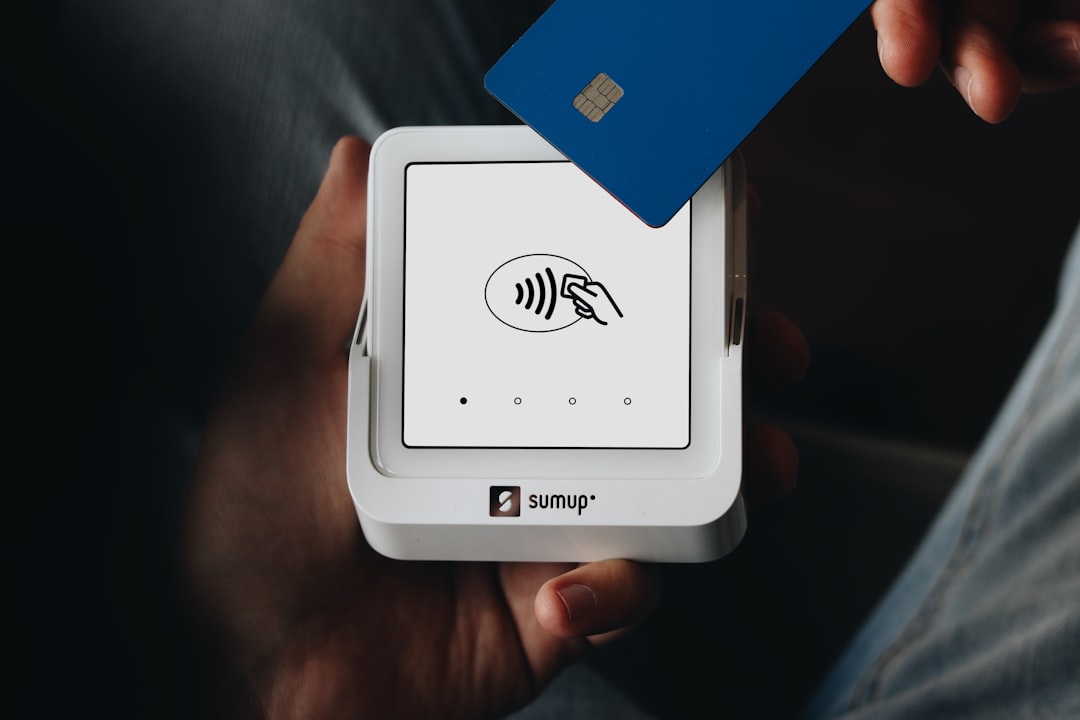
Square Requesting PCI Compliance? Here’s What You Actually Need to Know
If you just received a PCI compliance questionnaire from Square (or any payment processor) and your first thought was “What is this and why are they asking me for it?” — you’re not alone. The good news? For most small businesses, PCI compliance is much simpler than it sounds. You don’t need to be a security expert, and you definitely don’t need to panic. Let’s walk through exactly what you need to do.
What Is PCI Compliance (In Plain English)
PCI DSS (Payment Card Industry Data Security Standard) is a set of security rules that every business accepting credit cards must follow. Think of it as basic security hygiene for handling payment information — like locking your doors at night or password-protecting your computer.
The major card brands (Visa, Mastercard, American Express, and Discover) created these rules through an organization called the PCI Security Standards Council. But here’s the important part: your payment processor (like Square) is the one who actually enforces these rules and asks you to prove compliance.
Why does this matter to you? Three reasons:
1. Fines: Non-compliant businesses face monthly penalties from their processor — typically $25-100 per month for small merchants
2. Liability: If card data gets stolen from your business and you’re not compliant, you could be liable for fraud losses
3. Card processing: In extreme cases, you could lose the ability to accept credit cards entirely
But here’s the reassuring truth: most small businesses qualify for the simplest compliance options. You’re not being asked to implement the same security as a major retailer — the requirements scale to your actual risk.
Do You Need to Be PCI Compliant?
Simple answer: If you accept credit cards in any form, yes. This includes:
- Swiping, inserting, or tapping cards at a terminal
- Taking payments online
- Accepting payments over the phone
- Using mobile card readers
- Storing card numbers (though please don’t)
Most small businesses are Level 4 merchants — processing fewer than 20,000 transactions annually. This is good news because Level 4 has the simplest compliance requirements. You just need to complete an annual self-assessment questionnaire (SAQ) and possibly run quarterly security scans.
That compliance questionnaire Square sent you? It’s their way of verifying you’re following the security rules. Every payment processor sends these annually — it’s not unique to Square, and it’s not because they think something’s wrong. It’s just part of accepting cards.
Which SAQ Do You Need?
The Self-Assessment Questionnaire (SAQ) comes in different versions based on how you accept payments. Here’s the decision tree in plain language:
| How You Accept Payments | Your SAQ Type | Questions to Answer | Complexity |
|---|---|---|---|
| Online only with hosted checkout (Shopify, Square Online, PayPal) | SAQ A | ~22 questions | Easiest |
| Terminal only (Square Terminal, Clover) | SAQ B or B-IP | ~41 questions | Easy |
| Phone orders only, no storage | SAQ C-VT | ~81 questions | Moderate |
| Multiple ways or storing card data | SAQ D | 300+ questions | Complex |
Let’s break down the most common scenarios:
Using Square Terminal or similar device? You’re likely SAQ B (standalone terminal) or SAQ B-IP (terminal connected to internet). These cover businesses like retail stores, restaurants, or service providers using modern payment terminals.
E-commerce with hosted checkout? If customers enter card details on a payment page hosted by your provider (not on your website), you’re SAQ A. This is the simplest questionnaire — just 22 yes/no questions about basic security practices.
Taking orders by phone? If you manually enter card numbers into a virtual terminal but don’t store them, you’re SAQ C-VT. This requires more security controls since employees handle card data directly.
Storing card numbers? Please reconsider. If you must store card data, you’re looking at SAQ D — the full assessment with over 300 requirements. Most small businesses should use tokenization or their processor’s card vault instead.
Not sure which one? PCICompliance.com’s SAQ Wizard asks a few simple questions about your payment setup and tells you exactly which questionnaire applies — no guesswork needed.
How to Complete Your SAQ
Your SAQ is essentially a security checklist with yes/no questions. Here’s what to expect:
The questionnaire itself looks less intimidating than you’d think. Questions are straightforward: “Do you have a firewall?” “Do you change default passwords?” “Do you train staff on security?” For most small merchants, you’re already doing many of these things — you just need to document it.
“Yes” means you do it consistently, not just sometimes. If the question asks about password policies and you make everyone use strong passwords, that’s a “yes.” If some employees use “password123,” that’s a “no” — but it’s also an easy fix.
Documentation you’ll need:
- List of who has access to payment systems
- Your network/wifi setup (basic diagram for larger merchants)
- Security policies (even informal ones count)
- Training records (can be as simple as a sign-off sheet)
The quarterly ASV scan applies if you have any internet-facing systems (website, email server, etc.). An Approved Scanning Vendor runs automated security scans to check for vulnerabilities. It’s like a safety inspection for your internet presence — schedule it, let it run, fix any critical issues found, done.
Submitting your compliance:
1. Complete the SAQ questionnaire
2. Pass your ASV scans (if required)
3. Sign the Attestation of Compliance (AOC)
4. Submit through your processor’s portal or PCICompliance.com
The whole process typically takes 1-2 hours for simple SAQ types, or a few days if you need to implement missing controls.
What It Costs
Let’s talk real numbers for small businesses:
Compliance platform/tools: $100-300 annually for SAQ completion software and guidance. Some processors include basic tools free, but dedicated platforms offer better support and tracking.
Quarterly ASV scanning: $100-400 annually for four scans. Required for most merchants with any internet presence. PCICompliance.com bundles this with our compliance platform.
If you need a QSA: Only required for Level 1 merchants (over 6 million transactions) or if your processor specifically demands it. Small businesses almost never need this $15,000+ assessment.
The cost of NON-compliance:
- Monthly non-compliance fees: $25-100
- Breach fines: $5,000-100,000 depending on scope
- Lost business during card acceptance suspension: immeasurable
Honestly? Annual compliance typically costs less than just two months of non-compliance fees. It’s not a profit center for processors — they genuinely want you protected to reduce everyone’s risk.
Staying Compliant Year-Round
PCI compliance isn’t a one-time checkbox — it’s an annual cycle with quarterly checkpoints. Here’s how to stay on track:
Set annual reminders for your SAQ renewal. Your processor will send notices, but don’t rely solely on those. Mark your calendar 30 days before expiration.
Run quarterly ASV scans if required. Schedule them automatically so you don’t forget. Failed scans aren’t the end of the world — you just need to fix the issues and rescan.
Update your assessment when things change:
- New payment channels (adding e-commerce to retail)
- New locations or terminals
- Switching processors or payment methods
- Major network or system changes
Track your compliance status somewhere central. PCICompliance.com’s dashboard shows your SAQ status, scan history, and upcoming deadlines in one place. No more searching through emails wondering if you submitted everything.
FAQ
What happens if I ignore the PCI questionnaire from Square?
Ignoring it doesn’t make it go away. Square (like all processors) will start charging monthly non-compliance fees after the deadline — typically $25-100 per month. Eventually, they can suspend your account. The questionnaire takes less time than you’ll spend dealing with the consequences of ignoring it.
Do I need PCI compliance if I only process a few transactions?
Yes, even if you only process one card payment per year, you need to be compliant. The good news is that low-volume merchants get the simplest requirements and smallest fees. Your customers’ card security matters regardless of transaction volume.
Can I just check “yes” to all the questions?
Only if the answer is actually yes. False attestation is considered fraud and could result in immediate termination of your merchant account plus potential liability for any breaches. If you’re not doing something, mark “no” and fix it — most controls are simple to implement.
What’s the difference between PCI compliance and being PCI certified?
For small merchants, there’s no difference — completing your SAQ makes you “PCI compliant.” True “certification” only applies to service providers and software vendors who undergo formal QSA assessments. Don’t let companies charge you extra for “certification” you don’t need.
How long does PCI compliance last?
Your compliance is valid for one year from your attestation date. ASV scans must be run quarterly (every 90 days). Think of it like your business license — annual renewal with periodic check-ins throughout the year.
What if I fail my vulnerability scan?
Failed scans are common on the first try. The report shows exactly what failed and how to fix it. Address any critical vulnerabilities, then run a rescan. You’re not penalized for failed scans as long as you remediate and pass within your compliance window.
Conclusion
That PCI questionnaire from Square might have seemed overwhelming when it landed in your inbox, but now you know the truth: for most small businesses, PCI compliance is a straightforward process that protects both you and your customers. You’re likely looking at a simple SAQ with fewer than 50 questions, taking an hour or two to complete annually.
The key is knowing which SAQ applies to your business and having the right tools to complete it. PCICompliance.com makes this entire process manageable — our free SAQ Wizard identifies exactly which questionnaire you need in minutes, our ASV scanning service handles your quarterly vulnerability scans automatically, and our compliance dashboard keeps you on track year-round. Instead of juggling spreadsheets and calendar reminders, you get a single platform that guides you through each requirement and tracks your progress.
Don’t let PCI compliance become a source of stress or monthly fees. Start with our free SAQ Wizard to identify your requirements, or talk to our compliance team for personalized guidance. Most merchants are surprised how quickly they can check this off their list and get back to running their business.