
Why Is MFA Required for PCI?
Bottom Line Up Front
If you’re a business owner who just received a PCI compliance questionnaire from your payment processor, take a deep breath. Despite the intimidating acronyms and technical jargon, PCI compliance is often simpler than you think — especially for small businesses.
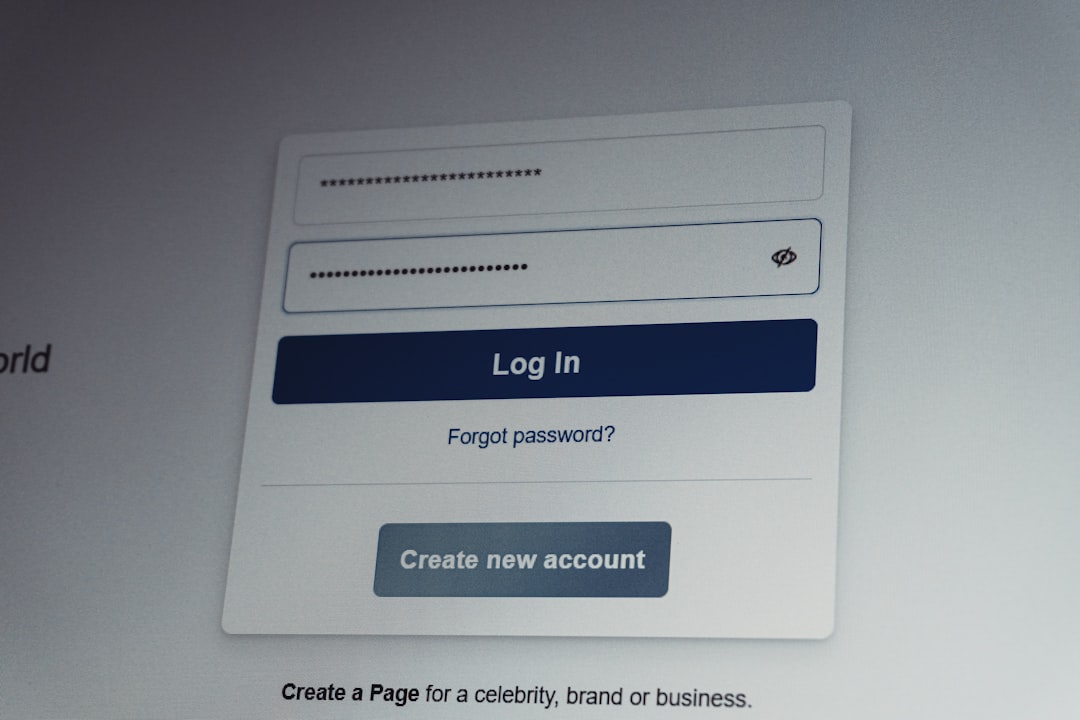
You’re here because you’re wondering why MFA (multi-factor authentication) is required for PCI compliance. The short answer: MFA protects the systems that handle credit card data by requiring more than just a password to log in. It’s like adding a deadbolt to your front door — an extra layer of security that keeps the bad guys out.
For most small merchants, implementing MFA means turning on a setting in your payment system or adding an app to your phone. Let’s walk through what you actually need to know and do.
What Is PCI Compliance (In Plain English)
PCI DSS (Payment Card Industry Data Security Standard) is a set of security rules that applies to every business that accepts credit card payments. Think of it as the security checklist the card brands created to protect customer card data — and by extension, protect your business from the nightmare of a data breach.
The major card brands (Visa, Mastercard, American Express, and Discover) created these standards through the PCI Security Standards Council. But here’s who actually enforces them: your acquirer (the bank or payment processor that handles your card transactions). When they send you that compliance questionnaire, they’re not being difficult — they’re required to verify that everyone in their payment chain follows these security rules.
What Happens If You’re Not Compliant?
The consequences range from annoying to catastrophic:
- Monthly fines from your payment processor (typically $25-$100 per month for small merchants)
- Liability for fraud losses if card data is compromised
- Termination of your merchant account (you lose the ability to accept credit cards)
- Placement on the MATCH list, making it nearly impossible to get another merchant account
The Good News
Most small businesses qualify for the simplest compliance requirements. If you’re using modern payment systems like Square, Stripe, or PayPal, you’ve already outsourced most of the hard security stuff to them. Your job is mainly to document that you’re using these systems properly.
Do You Need to Be PCI Compliant?
Simple answer: If you accept credit cards in any form, yes. It doesn’t matter if you’re a Fortune 500 company or a food truck — if you take card payments, PCI DSS applies to you.
Your Merchant Level
PCI compliance requirements are based on your merchant level, which is determined by how many transactions you process annually:
- Level 1: Over 6 million transactions per year
- Level 2: 1-6 million transactions per year
- Level 3: 20,000 to 1 million transactions per year
- Level 4: Under 20,000 transactions per year
Most small businesses are Level 4 merchants. This is good news — you can self-assess your compliance using an SAQ (Self-Assessment Questionnaire) rather than hiring an expensive QSA (Qualified Security Assessor).
What Your Payment Processor Expects
Your payment processor requires:
1. Annual compliance validation using the appropriate SAQ
2. Quarterly vulnerability scans if you have any internet-facing systems (done by an ASV – Approved Scanning Vendor)
3. Attestation of Compliance (AOC) — basically your signature saying “yes, we did all this”
That questionnaire they sent you? It’s their way of saying “it’s time for your annual PCI compliance check-up.”
Which SAQ Do You Need?
The SAQ type you need depends on how you accept and process card payments. Think of it as choosing the right form for your business model. Here’s the decision tree in plain language:
SAQ Decision Guide
| How You Take Payments | SAQ Type | Complexity | Typical Questions |
|---|---|---|---|
| Fully outsourced to payment provider (PayPal, Stripe Checkout) | SAQ A | Simplest | ~22 questions |
| E-commerce with payment form on your site (Stripe Elements, Authorize.net) | SAQ A-EP | Simple | ~139 questions |
| Standalone terminals only (Square Terminal, Clover) | SAQ B | Simple | ~41 questions |
| Terminals connected to your network | SAQ B-IP | Moderate | ~82 questions |
| Virtual terminal or phone orders | SAQ C-VT | Moderate | ~81 questions |
| Old-school: storing card numbers | SAQ D | Complex | ~329 questions |
Common Scenarios
If you use a payment terminal (Square, Clover, Verifone):
- Standalone terminal not connected to anything → SAQ B
- Terminal connected to your network or internet → SAQ B-IP
If you have an e-commerce site:
- Customers redirected to PayPal or Stripe Checkout → SAQ A
- Payment form embedded on your site → SAQ A-EP
If you take payments over the phone:
- Using a virtual terminal in your browser → SAQ C-VT
- Typing numbers into your POS system → SAQ C-VT or possibly SAQ D
If you store card numbers (in spreadsheets, your database, anywhere):
- Please stop doing this → SAQ D (the hard one)
Not sure? PCICompliance.com’s SAQ Wizard asks you a few simple questions about how you accept payments and tells you exactly which SAQ applies to your business.
How to Complete Your SAQ
Your SAQ is a questionnaire with yes/no questions about your payment security practices. Here’s what to expect:
What the Questions Look Like
Most questions follow this pattern: “Do you [security practice]?” For example:
- “Do you change default passwords on payment terminals?”
- “Do you restrict physical access to cardholder data?”
- “Do you use antivirus software?”
What “Yes” Really Means: You don’t just do it sometimes — you do it consistently, you can prove it, and you have it documented. If you can’t confidently answer “yes,” the honest answer is “no” (and then you fix it).
Documentation You’ll Need
Gather these before you start:
- Network diagram (even a simple sketch of your payment setup)
- List of payment systems and who has access
- Security policies (even basic ones count)
- Vendor agreements showing PCI compliance (from Square, Stripe, etc.)
The Quarterly ASV Scan
If you have any systems connected to the internet (website, email server, etc.), you need quarterly vulnerability scans from an Approved Scanning Vendor. Don’t panic — this is:
- Automated (not manual)
- Non-intrusive (won’t break anything)
- Usually under $100 per scan
- Required even if you’re SAQ A (if you have a website)
The scan checks for security holes in your internet-facing systems. Think of it as a security checkup that runs four times a year.
Submitting Your Compliance
Once complete:
1. Sign your Attestation of Compliance (AOC)
2. Upload it to your payment processor’s compliance portal
3. Schedule your next quarterly scan
4. Set a reminder for next year
What It Costs
Let’s talk real numbers for small businesses:
Compliance Tools and Platforms
- Basic SAQ completion tools: $150-500/year
- Full compliance platforms (like PCICompliance.com): $500-2,000/year
- DIY with free tools: $0 (but much more time-consuming)
Quarterly ASV Scanning
- Per scan: $30-100
- Annual package: $100-300
- Required for most merchants with websites
If You Need Professional Help
- QSA consultation: $150-500/hour
- Full QSA assessment: $10,000-50,000 (only for Level 1 merchants)
- Remediation assistance: $1,000-5,000
The Cost of NON-Compliance
This is where it gets expensive:
- Monthly non-compliance fees: $25-100 (that’s $300-1,200 per year)
- Breach investigation costs: $10,000-50,000
- Card brand fines: $5,000-100,000
- Lost business: Priceless (and we mean that in the bad way)
Bottom line: For most small merchants, annual compliance costs less than a single month of non-compliance fines. It’s cheaper to be compliant.
Staying Compliant Year-Round
PCI compliance isn’t a one-and-done deal — it’s an annual requirement with quarterly checkpoints. Here’s how to stay on track:
Annual Requirements
- Complete your SAQ every 12 months
- Review and update security policies
- Verify your payment systems haven’t changed
- Confirm your vendors maintain their compliance
Quarterly Requirements
- Run ASV scans (if required)
- Review scan results and fix any failures
- Keep scan reports for your records
What Triggers a Reassessment
- Changing payment processors
- Adding new payment channels (like starting e-commerce)
- Upgrading your POS system
- Significant network changes
When in doubt, reassess. It’s better to be over-compliant than under-compliant.
Making It Manageable
PCICompliance.com’s compliance dashboard tracks all your requirements in one place:
- Automatic reminders for annual SAQs and quarterly scans
- Status tracking for each requirement
- Document storage for policies and scan reports
- One-click revalidation when nothing has changed
FAQ
I’m just a small business. Do I really need to worry about PCI compliance?
Yes, size doesn’t matter when it comes to PCI compliance. If you accept credit cards, you need to be compliant. The good news is that compliance requirements scale with your size — small merchants have simpler requirements than large ones.
What is MFA and why does PCI require it?
MFA (multi-factor authentication) requires two or more ways to verify your identity when logging into systems that access cardholder data. It typically combines something you know (password) with something you have (phone app or token). PCI requires it because passwords alone are too easy to steal or guess.
My payment processor handles everything. Am I automatically compliant?
Not automatically — you still need to validate your compliance annually. Using a PCI-compliant processor makes your job easier (you’ll likely qualify for SAQ A), but you still need to complete the questionnaire and maintain secure practices on your end.
How do I know which SAQ type applies to my business?
Your SAQ type depends on how you accept and process payments. Use PCICompliance.com’s free SAQ Wizard — answer a few questions about your payment setup, and we’ll identify exactly which SAQ you need. Most small businesses need SAQ A, A-EP, B, or B-IP.
What happens if I fail my ASV scan?
Failing an ASV scan isn’t the end of the world — it’s actually common on the first try. The scan report shows exactly what failed and how to fix it. You have time to remediate the issues and rescan. Only the passing scan needs to be submitted for compliance.
Can I just pay the non-compliance fee instead of becoming compliant?
This is a dangerous strategy that can backfire spectacularly. Non-compliance fees add up quickly, you’re still liable for any breaches, and your processor can terminate your merchant account. Plus, many processors increase fees over time for continued non-compliance.
How long does it take to become PCI compliant?
For most small businesses using modern payment systems, initial compliance takes 2-4 hours. This includes completing your SAQ, running your first ASV scan (if required), and submitting your attestation. Complex environments take longer, but if you’re SAQ A or B, an afternoon is usually enough.
Do I need to hire a QSA?
Most small businesses don’t need a QSA — you can self-assess using an SAQ. Only Level 1 merchants (processing over 6 million transactions annually) typically need a QSA to perform a full Report on Compliance (ROC). If you’re reading this guide, you probably don’t need one.
Conclusion
PCI compliance might seem overwhelming when that first questionnaire arrives from your payment processor, but it’s genuinely manageable for most small businesses. The key is understanding which requirements actually apply to you — and modern payment systems have already done most of the heavy lifting.
Remember: MFA is required for PCI because it’s one of the most effective ways to prevent unauthorized access to payment systems. For most merchants, enabling MFA is as simple as turning on two-factor authentication in your payment dashboard or adding an authenticator app to your phone.
The path forward is clear: identify your SAQ type, complete the questionnaire, schedule your quarterly scans if needed, and maintain those practices year-round. It’s not just about checking boxes — these security measures genuinely protect your business and your customers.
PCICompliance.com gives you everything you need to achieve and maintain PCI compliance. Our free SAQ Wizard identifies exactly which questionnaire you need, our ASV scanning service handles your quarterly vulnerability scans, and our compliance dashboard tracks your progress year-round. Instead of juggling multiple vendors and deadlines, you get one platform that guides you through the entire process. Start with the free SAQ Wizard to identify your requirements, or talk to our compliance team if you need help getting started.
The sooner you tackle PCI compliance, the sooner you can stop worrying about those non-compliance fees and focus on what you do best — running your business.